
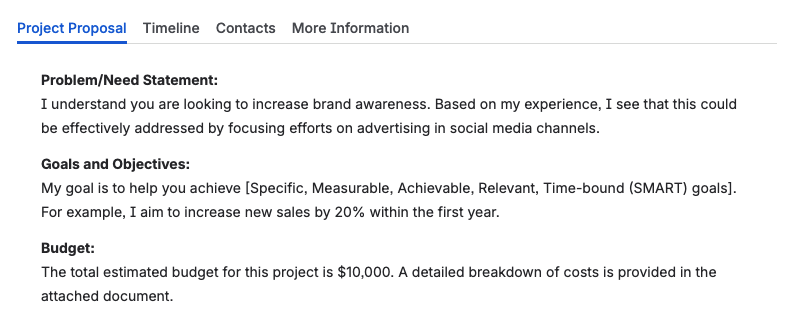
The Simple Tabs for Confluence macro is the easiest way to generate interactive tabs on all your pages!


Overview
Create tabs on your pages, the easy way! Our macro allows you to enter content in exactly the same way you are used to; no complicated editor experiences or configuration options to clutter up your design. You can enter Confluence content using the same editing experience you use for all other pages. This also makes it extremely simple to copy content in or out of the tab macro.
The macro contents do not use any special storage or markup. They are simply stored as-is along with your normal page content.
Usage
- Add the macro to any page you are editing by typing
/simple tabs, make sureSimple Tabsis selected, and press ENTER - If you want tab content to be loaded directly from the page you are editing, add
Heading 1elements to the page, followed by any content that should appear on that tab. AllHeading 1elements will become tabs. - If you want tab content to be loaded from child pages, simply add the child pages in the order you want them to appear. Make sure no content appears in the macro body.
- Publish the page and look at your beautiful tabs!
Roadmap
If you have any feedback on what functionality would help your business needs, please let us know!
Support
Please contact us with any issues you are having by emailing us at support@moonlabs.app. If there is a feature you’d like us to add, please let us know!
End-User License Agreement
Refer to our EULA document.